Run Clippets
Clippets needs a file to hold your snippets, here we assume is it called
snippets.txt and does not already exist. Run Clippets using one of the
following commands [1]:
clippets snippets.txt
snippets snippets.txt
The first time you run this command Clippets will create a minimal snippet hierarchy and offer to create the file.
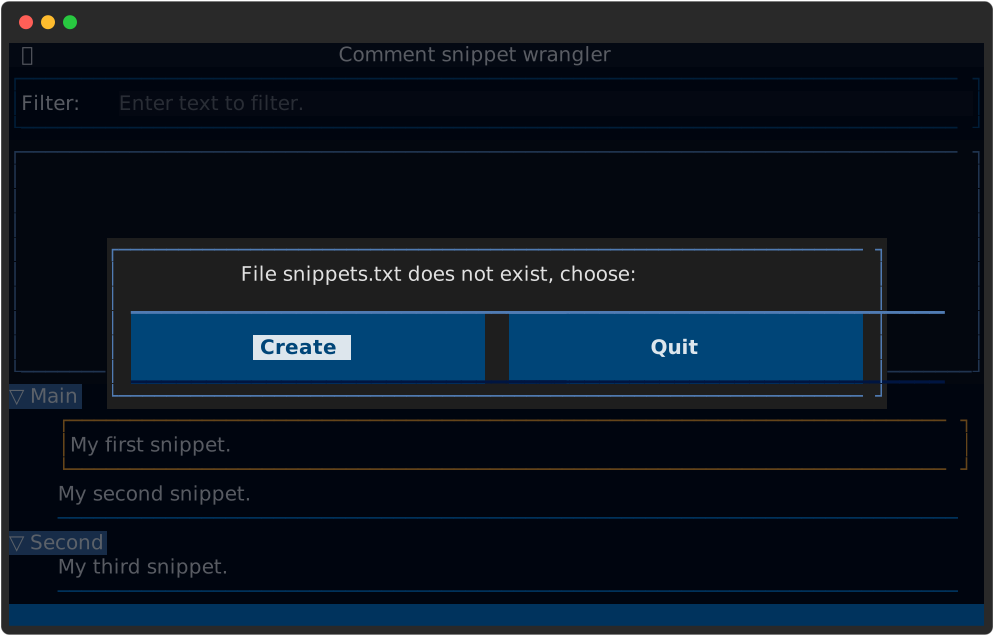
Click on the ‘Create’ button or just press the ‘Enter’ key. Then press the following keys:
Enter
Down
Down
Enter
Your terminal should look like:

Open or switch to a word processor program and perform a paste operation (for example by typing Control-V). The 2 snippets you chose should be pasted into your document.
Where next
The F1 key will bring up a help screen to give you a brief summary of how
to use Clippets.
The User guide provides detailed information on how to make progress with Clippets.