Moving snippets and groups
Clippets allows you to rearrange the snippet hierarchy by:
Moving snippets within and between groups.
Moving entire groups.
Moving snippets
To move a snippet do one of:
Select the snippet and press the
'm'key.Right click on the snippet and choose
Movefrom the context menu.
Clippets switches to snippet moving mode, which looks like this:
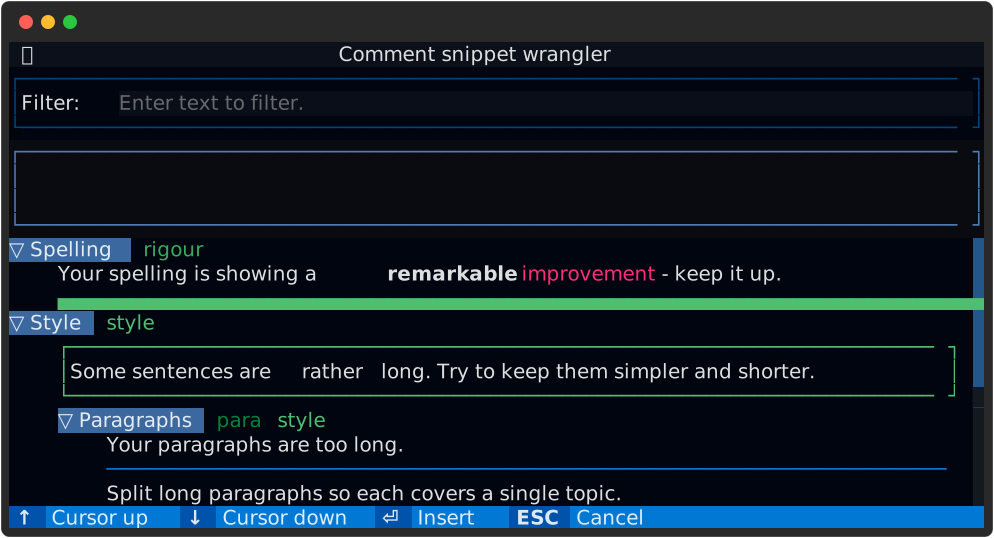
Figure 14 Just entered snippet moving mode.
The snippet being moved is highlighted (using a different colour to the selection highlight) and a solid bar (the cursor) shows where the snippet will be moved to. The cursor initially positioned so as to move the snippet up by one slot, unless such a move is not possible; in which case the next slot below is chosen.
Use the up and down keys to choose the new position and press Enter
(Return) to complete the move or the Esc to abort the move operation.
Folded groups are skipped over when positioning the snippet insertion cursor.
It may not be possible to move a snippet, depending on how many other snippets are in the same group and which groups are folded. In this case, Clippets simply refuses to enter snippet move mode.
If the cursor moves into a group that has no snippets then a place-holder is displayed as shown below.
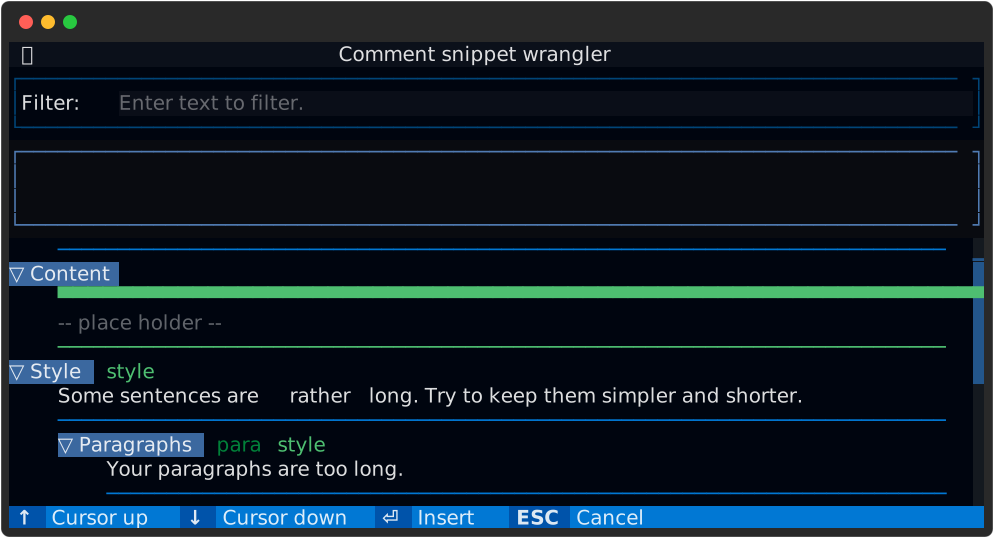
Figure 15 Empty group place-holder.
Moving groups
Moving groups is very similar to moving snippets. Start by either:
Select the group and press the
'm'key.Right click on the group and choose
Movefrom the context menu.
Clippets switches to group moving mode, which looks like this:
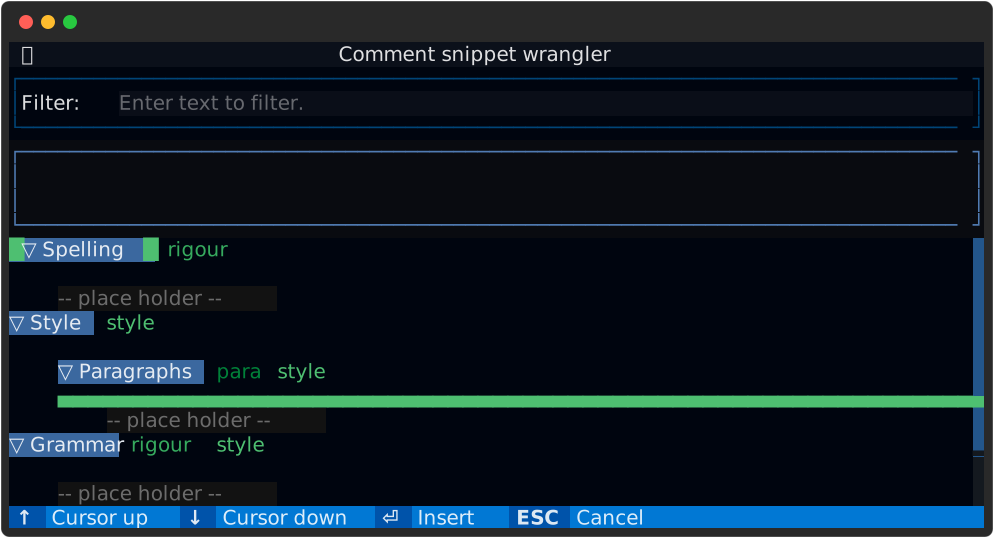
Figure 16 Just entered group moving mode.
Groups can be moved into or out of other groups. The length of the cursor
is an important indicator of the of move. In the above figure, the cursor
shows that the Spelling group will be moved into the Style group, just
below the Paragraph group. In the following figure the Spelling group
will be made a sub-group of the Paragraph group.
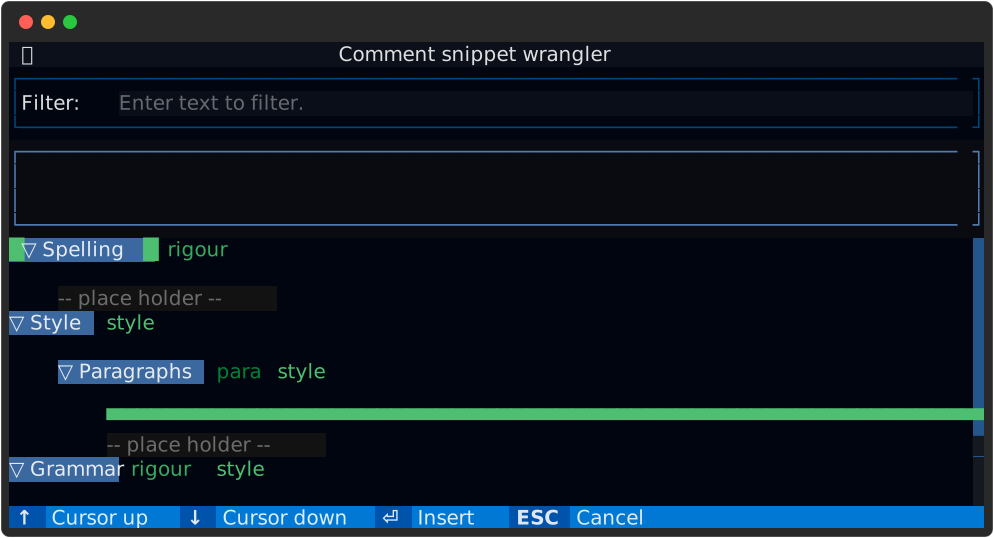
Figure 17 Cursor positioned to create new sub-group.